PC Booking and WIFI
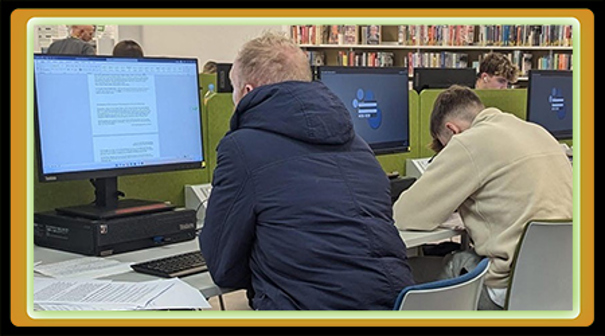
Your library card and PIN allows you to access and book a PC in your library and/or WIFI access. Internet access is available in all our branches. Terms and conditions apply. There is no charge for use.
How do I access and book a PC?
With your library card and pin, simply log in on the pc screen or book a pc on a library kiosk. You must have a current library membership.
Terms and conditions apply. Library staff are there to help if you have difficulties.
You may book an Adult PC in advance with your library card and PIN. BOOK HERE
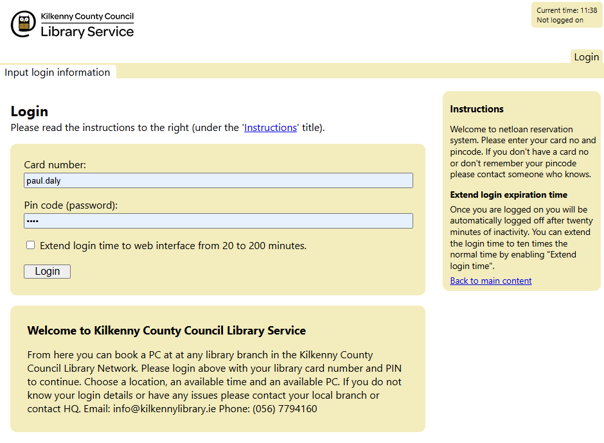
If you encounter issues. Please contact email your nearest library. Please note: If you do not take up your booking with 10 minutes of the allotted time you will lose it and may have to re-book.
How long can I use the PC?
Sessions are 45 minutes however, if the PCs are unreserved you may be allowed additional time.
Can I print from a PC?
Yes you can. Printing and scanning services are available. Please check with the library before you go. There is a charge for printouts.
Can my own devices use library wi-fi?
Yes you can. Free wi-fi is available in our branches. Terms and conditions of use apply. See here.
Children under 18 need permission from a parent or guardian in order to use the internet.
Can I borrow a laptop?
Yes. At Mayfair Library.
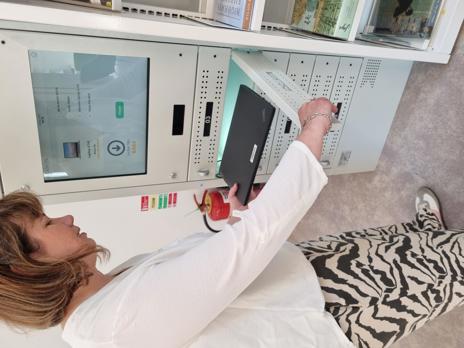
An adult borrower may borrow a laptop for up to 3 hours in the Mayfair Library for use in the library from the Lapsafe locker on first floor PC area.
You will require your library card and pin number and agree to terms and conditions. Laptops cannot be taken out of the library building.